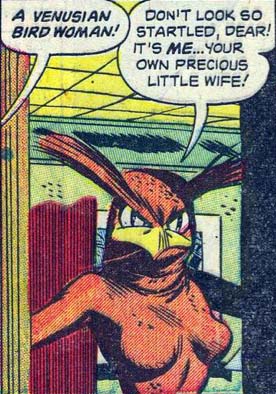
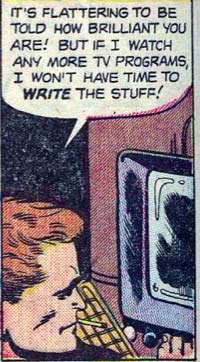
(Last panel from “Dynamo 5″, number 20, ©2009, Jay Faerber and Mahmud Asrar. Which you should probably buy just for this entire War Chest sequence, it’s a hoot.)

(Last panel from “Dynamo 5″, number 20, ©2009, Jay Faerber and Mahmud Asrar. Which you should probably buy just for this entire War Chest sequence, it’s a hoot.)
Posted in Daily Random Panel
Just a quickie update, the HM3 Alpha “Save as JPG” feature now saves the figure and not just its left leg. Oops.
Posted in HeroMachine 3
I’ve updated the HeroMachine 3 Alpha with the following changes:
More on all of this after the jump.
Posted in HeroMachine 3, News & Updates
Runt82 and I have finished his prize for winning Caption Contest 48:
Apparently there is some sort of impending athletic competition coming up and some folks like Mark Shute and Runt82 have strong feelings on the matter. Not that these figures are in any way representative of popular, and copyrighted, college mascots or anything. No sir.
Thanks to Runt82 for working with me on this one, it was fun!
Posted in Challenge Prizes, Challenges

(From “Dynamo 5″, number 20, ©2009, Jay Faerber and Mahmud Asrar.)
Posted in Daily Random Panel
Most of the time, when you’re drawing a comic you want to master page layout as I’ve discussed before but also to master the position of the characters within a panel as well. In other words, you want to make sure two people standing in a room really look like they’re both standing in the same room at the same time.
But if you’re Rob Liefeld, you just draw each figure as if it were in a stand-along pinup and say to hell with making them relate, as you can see here:
Posted in I Hate Rob Liefeld's Art
With that rather cryptic and Star-Trekkie-like headline, I am happy to announced that the early test version of the upcoming HeroMachine 3 is now available! Please note all of the caveats and disclaimers and warnings of incompleteness at the top of the page — this is a very, very early look at the program, there are lots or more items and features yet to be implemented. Only about half the slots even have any items in them.
So yes, there will be eyes and noses and mouths and pants and gloves and boots and all that other stuff, in time.
Regardless, that page will always have the most up-to-date version of the test program I have.
What I’m looking for at this point is very broad feedback, things like how you feel the multiple item functionality works; whether or not the little toolbars in the preview of each item makes sense and has the buttons you want on it; does the organization of the items in the various slots work; etc. I’m fully aware that there are (not to get too technical) “a crapload” of features that while mostly working are still quite buggy, like the item selection getting hosed up if you mouse out of the menu area and scaling “all items” only works horizontally, that kind of thing.
Anyway, please make any suggestions, observations, complaints, requests (either items or features), or quips you like in the comments to this post. Whenever I launch an update I’ll make a new entry for it and we can go from there.
Thanks already for all the great feedback I’ve received so far; with your help this program will absolutely kick ass!
Posted in HeroMachine 3, News & Updates, Previews

(From the delightfully funny “Dynamo 5”, number 20, ©2009, Jay Faerber and Mahmud Asrar.)
Posted in Daily Random Panel
I wanted to show you some of the “Tops” items I’ve been working on for HeroMachine 3:
This is the second page of items; the first is all stuff from the Modern Warrior Mini, which you’ve already seen. Note that I’ve broken these items down into four types — vest only, left arm only, right arm only, and complete item. I did this so that you could mix and match “sleeves” with various torso pieces. For instance, maybe you like the first chest piece, but you want to couple it with the big bulky arm pieces in the middle row. With these items broken apart, it’s no problem.
I also wanted to include the completely assembled pieces for those who don’t want to be bothered with selecting and coloring three different things, but who want just one to do it all. That works fine if you don’t want to move the figure’s arms, and more advanced users can easily hand-assemble the units they want.
I’ve been struggling mentally with how to organize all this stuff. Originally I was planning on having “Body” broken up into like seven different slots, including upper & lower arms, upper & lower legs, etc. But the more I got into it, the more it seemed like that would impose a high burden on the user to have to go through and pick all those pieces. I want HM3 to be just as easy to use as 2.x was for kids or lazy people (like me). Then I started thinking that having a bunch of “sleeves” in “Right Upper Arm” was overkill and confusing. If you’re trying to dress a character, you’re going to be looking where the rest of the shirt is, you know?
It’s starting to look like “multiple items” is going to pretty much be a very necessary thing. Having the mini toolbars right there on each item preview makes this less of a pain than you might think, as you can cycle through items pretty easily, quickly getting rid of the ones that don’t work.
I hope to have the alpha (it’s not really even a beta yet) posted very soon so you can play around and see if this approach works in actual usage or not.
Posted in HeroMachine 3, Previews

(From “All-Star Superman”, © 2006 DC Comics.)
Posted in Daily Random Panel