Category Archives: HeroMachine 3

HM3: I can really belt them out …

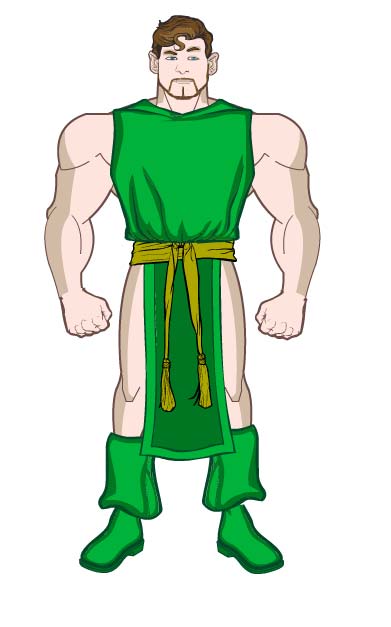
… and onto your screen, as the “Belt-Standard” set of items for HeroMachine 3 has now been released. Included in it are 72 mostly-new items ranging from plain buckles and straps to elaborate filigrees and everything — or at least a lot of things — in between.

If anything particularly egregious was left out that belongs in a very broad sampling of possibilities, let me know in comments. I do plan on doing Belt-Buckles and Belt-Containers sorts of sets for scabbards, buckles (duh), holsters, more straps, canteens, dungeon-delving belt-worn items, etc.

One thing that will not be in the latter are items that would make more sense as part of the “ItemRight/Left” sets. Now that you can move items around, layer them, scale them, rotate them, etc., it’s easy enough to add stuff to the belts rather than have me draw eleventy bazillion (an actual number! Not.) variations on a big wide leather belt with twenty things hanging off of it.

Note, for instance, I put in the injection-molded holster (is that what you call it?) from the Military/Tech set, but without the gun handle sticking out. That’s because you can put whatever gun you want in there, rather than having to live with my metal-gripped .45. Just roate it, scale it if necessary, move it to a layer just below the holster, and viola, you got yourself a gun in a holster.

I feel the pain of those hoping for scabbards in this release. I just couldn’t get there, I apologize — there were too many great suggestions for complete belts in the last thread for me to pass up. And THANK YOU to everyone who posted there, you made this set much more than it would have been otherwise.

In the meantime, you can always make your own scabbards by taking just the blade portion of any of the stuff in ItemRight-Blades, color it black (or leather-brown or whatever you want, and you’ve got yourself a scabbard. You can decorate it with tassles from the new Belt-Standard set, filigree from the Foot or Glove sets, and patterns to make it all fancy, and then stick it onto a regular belt, and you’re good to go. More difficult for you, yes, but at least you’re not being held hostage to that mean old bald guy in Texas (that’s me, by the way).

Hope you enjoy the new belts! I’m pleased with the way they came back, and really appreciate all the great ideas you guys fed me. Couldn’t do this without you!

HM3: Looking for belt suggestions

I’m working on belts now, and have quite a bit of room left. I don’t feel like I’ve gotten a solid Standard set after adding some new stuff and converting over the HM2.x gear, so if you have ideas for me, please let me know in the comments.

I am probably going to do Belt-Buckles and Belt-ClipOns as separate sets. There are sooooo many of each, I thought I should probably just stick to actual full (or mostly full) belt-type items in the Standard set, and really go to town on the other two.

Creating a woman, no ribs required

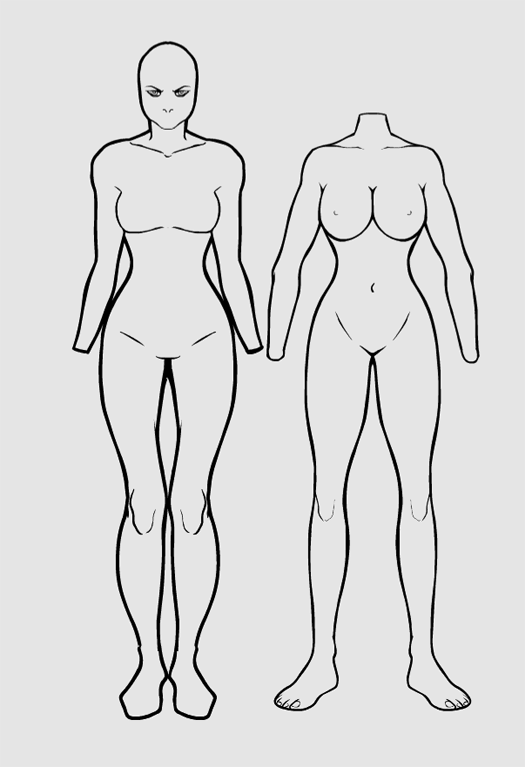
Kudos to UGO Forums user Isia, who posted an early attempt at using HeroMachine 3 to create a female character, Sirena:

Many of the elements are there, starting of course with the single female body template in BodyZombies. But the eyes, mouths, noses, and ears are for both genders, and you can (as you see here) make some nice feminine hair styles by combining the existing ones. I have to admire the clever use of Insignia as bra cups here, that’s very clever.

With a little ingenuity, you don’t have to wait on ol’ Jeff to make your character, you can even go girl!

(Edited to add:)

I couldn’t resist taking a crack at doing a female character myself after being inspired by Isia. Here’s my attempt, The Female Warrior With No Name From The Land of Cold Enough For a Fur Cape But Not Cold Enough To Cover Up The Yummy Bits:

brynnhilde

The key trick is multiple masking. For instance, the “gloves” and the pseudo-bustier are all masked to the body. Yes, an item can only serve as a mask to one object at a time, so what you see are actually THREE bodies, all stacked on top of each other, each acting as a mask for one other item — the right and left square Insignia (rotated to make it look like a glove when masked) and the bustier (which is a Top masked and scaled to look like a bustier).

The tricky bit, which I need to fix on the back end, is that when you add the second Insignia to serve as a mask, it unmasks the first one you put on the stage. I got around it by nudging the second Body over twenty spaces, re-applying the initial glove mask to it, then nudging both it and the Insignia/glove back over. Painful, but do-able.

Everything else had to be scaled and moved to fit, as the boots were in the wrong spot. I chose the last MaleStandard head, which is sort of a Manga-inspired kewpie doll shape and works well for more feminine features. The hair is three main pieces — the long back, scaled even longer; bangs; and the top part. I added two each of the pony tails and the long braids, flipping one of each. I moved the braids behind the Ears to make them look more 3D.

Like I said, the hard part was getting the gloves and the Top masked with the three stacked bodies. Once that was done the rest was pretty easy. If I was feeling really OCD I’d have created a fourth Body and masked the Belt to it so the top edges didn’t stick out, but I was in a hurry.

Finally, Dalls Cowboy Cheerleader boots FTW. Yee-haw!

HM3: No longer only the lonely

Companions are now live in the HeroMachine 3 Alpha. I’ve got fifty cool new friends for your main dude, from your old favorites to all-new additions like more dragons, a big ol’ squid, scary new griffons, adorable Wonder Dogs, and much more. Take a look and let me know what you think, any items you wish were in but aren’t, etc.

Note that BigWeapons and Vehicles will be their own sets in either Backgrounds or the to-be-added Environment.

Here’s a comparison of some of the Companions in 2.x and their new redrawn 3.0 versions:

companions

Enjoy!

HM3: A slight change in plan

I’ve spent all morning gathering reference for the Insignia-Nature set, and I’m overwhelmed. I’m thinking there’s no way to fit everything in under that one heading. So I will probably separate it out into Elements (rain, wind, ice, fire, earth, tornadoes, hurricanes, etc.); Plants (trees, leaf icons, acorns, etc.); and Animals (animal heads, paw prints, insects, etc.).

But that’s a ton of work, easily several hundred items. So I am going to backtrack here a bit and shelve the remainder of the Insignia until I get the remainder of the slots without Standard items done, as I’d originally planned. I’m going to do Companions first, because it’s easy and fast. In the meantime, let me know in the comments what slot you want to see get a set of Standard items next. I think the remaining ones after Companions are:

  • Background
  • Belt
  • Facial Hair (there’s one CALLED standard at the moment, but it’s very incomplete)
  • Shoulders

As a reminder, “Auras” will be sort of built in to the Body, Hand, and Foot slots so you can get a more accurate outline. Similarly, a lot of slots will have an “Extras” set for odds and ends like scars, pockets, bullet holes, etc., things that aren’t complete items in and of themselves but which are intended to enhance others.

HM3: Your fonts now overfloweth

I’ve uploaded changes to the HM3 Alpha that make the new “fonts” slot much more functional. You now have the standard three colors to play with, AND patterns now work with them, AND whatever you’ve typed in will now follow from selection to selection so you don’t have to re-type it. On the downside, it now clocks in at a hefty 1MB in size, so be warned.

Enjoy!

HM3: Tech-nically an upgrade

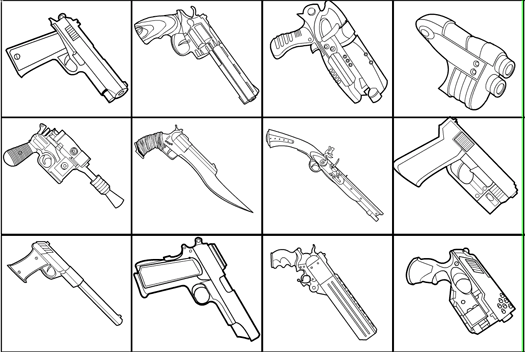
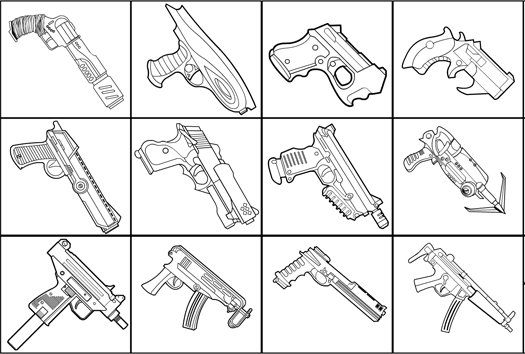
I just uploaded an expanded “InsigniaTech” set for HeroMachine 3, doubling the number of items. Here’s a quick preview:

insignia-tech

I also have a bunch of gears (cogwheels) per Fabien’s request, that’s one of the items I regretted not fitting into the Standard set. Hopefully that will help make steampunk types of things easier.

HM3: More Logos means More Better

Starting tomorrow I’ll begin work on a few additional Insignia sets. Combing through the great suggestions in the last thread, here are the main groups I’ll probably do.

  • Nature
    • coyote
    • animal heads
    • more eagles
    • snarling dog
    • cat’s paw with claws ready for attack.
    • dorsal fin
    • Roses and other flowers
    • snowflake and other weather-related symbols
    • bear paw
    • Nautilus shell
    • musical notes
    • Animal (paws, animal heads, animal silhouettes, insects, arachnids etc)
    • Vegetal (leaves, trees, flowers, fruits)
    • Laurel Wreath
    • Olive branch (v. re-usable)
    • Open five finger hand (no HandRight/HandLeft equivalent, yet at least) — http–interconnected-org/home/more/2004/12/hand_columns.jpg
    • Gems
  • Additions to the Insignia-Tech set, including variations on gears and more chest-mounted force projectors.
  • Zodiac signs.
  • Runes.

If you have any additional suggestions for Insignia along those broad categories, let ’em rip.

HM3:PNG (The PNG Next Generation)

I’ve just uploaded the HeroMachine 3 Alpha “Violodion Edition”, which has a new button right next to the “Save as JPG” one that lets you “Save as PNG”, allowing you to save your creation as a transparent-background PNG format instead of the lossier JPG.

Holler if you have problems with it. It should let you produce images that are slightly larger in terms of file size, but without the pixelation and degradation of the JPG format. Since some operating systems and browsers don’t play well with JPGs PNGs I am leaving both formats in. More options are more better!

HM3: The write stuff

I just uploaded a new set, “Fonts-Standard”, to the HeroMachine Alpha. You now have 21 fonts to use to type in your character name, add a number to a jersey, etc.

The file is very large, 720KB, so be warned. Fonts don’t come cheap. You can only apply the line color, the text you type doesn’t change automatically as you change from font to font, and it’s a little funky to move (the letters get all highlighted and you have to click back in the text field to make it stop).

Down the road, if this is a popular addition, I can add some logic that does at least some of that missing functionality. But for now it’s a nice way to add text in to your creation without having to know another Paint program.