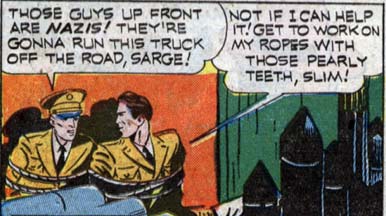
(From “Exciting Comics” number 18, 1942.)

(From “Exciting Comics” number 18, 1942.)
Posted in Daily Random Panel
I’ve just updated the HeroMachine 3 Alpha with the “HeadgearMask” set featuring 49 items, most of them brand new. Here’s a quick look at twelve of the new items:
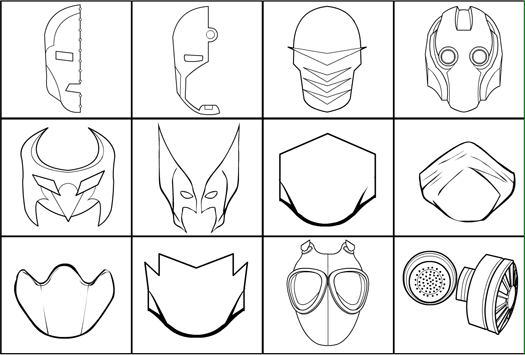
Note that I have included several different “pieces” for you to use in assembling your own custom mask if you like. For instance, in the preview above the item on the bottom row, second from the left is meant to be colored as if it were flesh, and combined with a full-head colored as a cloth mask. This allows you to make a straight-lined mask open at the top to let the hair spill out with either a curved Captain America-style mouth opening, or one like you see here, or one of the alternates. Or you could swap out the straight-line top portion with a curved one. You can also use the dedicated “eye hole” items from the “EyesStandard” set to further customize your headgear.
Similarly, the gas mask you see in the last two items of the preview are meant to be used together. But I thought the purely mask portion was pretty neat looking, so I made it a standalone. And you can now combine the filter portion with any of the other masks for your own unique look.
As usual, holler if you see any bugs or problems, or if there’s a Mask item you really wanted to see but that didn’t make it.
Posted in HeroMachine 3
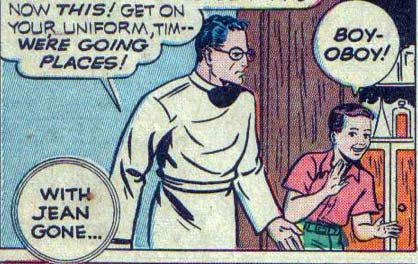
(From “Exciting Comics” number 13, 1941.)
Posted in Daily Random Panel
I just added five new hands to the HandLeft/RightStandard sets. They include a palm-out, palm-in, edge-on, bicep-flex-curl, and a skeleton with no flesh. Enjoy!
Posted in HeroMachine 3
I updated the BodyStandard and FeetStandard sets with new items. Specifically I removed all the feet from the bodies, and added them at the end of the Foot sets. I included skeleton feet, and top-down flying feet both with and without toes. It’s not perfect, but having booted foot bottoms in a flying position should help with those specific poses.
Posted in HeroMachine 3
Like a girdle-encased middle-aged gut topped by a ridiculous toupee kicking you in the face, JJ Abrams’ “Star Trek” delivers the goods in spectacular, satisfying fashion.
The Good: The casting, the action, the acting, the spirit, the fun, and the special effects all come through with flying colors. The Holy Trinity — Kirk, Spock, and McCoy — in particular deliver performances that are truly inspired by (rather than a copy of) the original cast.
The Bad: The story is more full of holes than a Caddyshack golf course. Luckily it’s enough fun that you don’t really care.
The Ugly: Eric Bana’s bland, utterly forgettable role as bad guy Nero.
More to follow after the jump (spoilers abound!).
Posted in Movies and TV
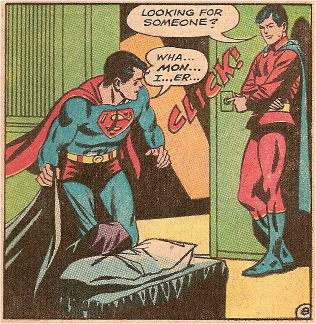
(Characters and image ©DC Comics, Inc.)
Posted in Daily Random Panel
I updated BodyMaleStandard for the HeroMachine 3 Alpha with a few new body parts just now:
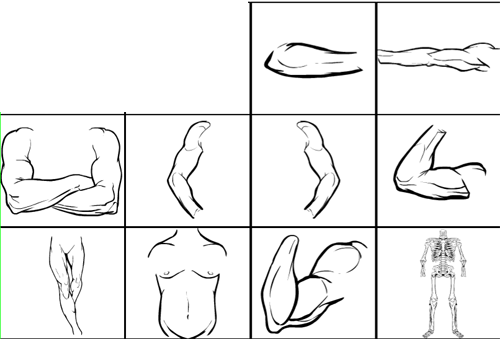
They are a better forearm held across the body; arms extended straight out from the sides; crossed arms; a different set of arms held like the hands are on the hips; a new “show off your guns” flexed arm; some slightly different “one foot forward” legs; a pudgier torso; the flexed arm from the Zombie set; and a fitted skeleton. Hope you find them useful.
Posted in HeroMachine 3
I’ve just updated the HeroMachine 3 Alpha with some bug fixes:
Let me know if you see any weirdness.
Also, a warning — this isn’t supposed to do anything bad to your previously saved characters, but I can’t guarantee that. In general, until we get to a full release (or at least a solid beta), you should always make a JPG or PNG of any character you don’t want to lose. I may have to significantly change something at some point that will effectively destroy your old saved characters. I don’t PLAN on that, but you never know — that’s why it’s still an alpha.
Posted in Bug Reports & Fixes, HeroMachine 3
 Three middle-aged nerds (including yours truly!) review all of the MCU movies in chronological order. Short, funny, and full of good vibes, check it out and let us know what you think!
Nerdmudgeon.com
Three middle-aged nerds (including yours truly!) review all of the MCU movies in chronological order. Short, funny, and full of good vibes, check it out and let us know what you think!
Nerdmudgeon.com