Author Archives: AFDStudios

HM3 Journal: Transforming controls

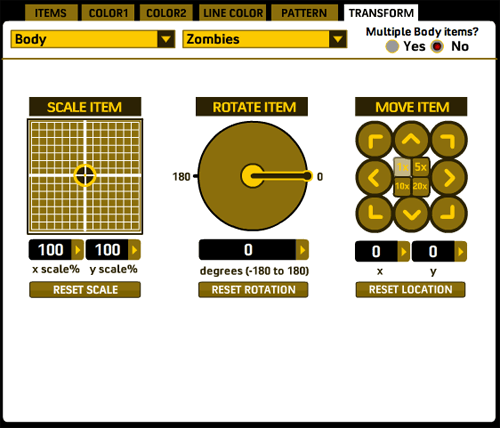
I spent the weekend filling out the “Transform” tab in HeroMachine 3, finally arriving at the following layout of controls:
transform

The main addition to the rotate and scale controls is that you can now manually enter values for scaling an item. These text fields also automatically update while you’re scaling the character so you can see what the values are.

The new kid on the block is the “Move item” set of controls. As you can imagine, clicking the various direction arrow moves the current item in that direction. In the middle of the controls are four “multiplier” buttons, so you can move it either 1, 5, 10, or 20 pixels at a time. Of course you can still manually click and drag items around as you like, with the current coordinates automatically displaying while you do so in the appropriate boxes. “Reset Location” will move the item back to the default starting position for everything in that slot.

Still to come on this tab are: grouping controls, so you can (for instance) move/rotate/scale everything in the Body slot all at once; a “reset all” type of button that will reset scale, rotation, and position for the current item with just one click; layering controls; outline options (so you can outline individual items in either black or white — figuring out how to do that for the full set of colors is a headache I don’t need); flipping; some sort of “apply all transformations to …” button, kind of like the paintbrush in the minis, so you can click on items to apply the current item’s scale, position, and rotation. And whatever else y’all think of.

I’ve gotten a lot accomplished this week. Within the next few days I ought to have enough done to start drawing. The first thing I’ll do when that time comes, probably, is to convert all the Zombie and Modern Warrior items over. Luckily that turns out to be pretty easy. Before that can happen, though, I need to nail down the little mini toolbar that gets added to the preview box, currently that’s just for show. And I also have to get the preview item tab working properly. I’d say with those completed, I’ll have the minimum functionality needed to make drawing worthwhile. The rest of the feature set can get added as I go along.

Let me know if you see something that looks like it won’t be good, or if you think of something I ought to add but haven’t thought of yet.
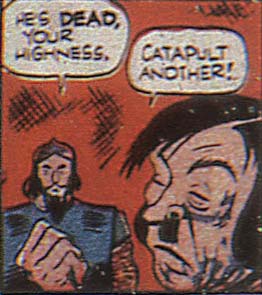
Random Panel: "I don't think that's what Air Male means, sir."

boy-comics-3-1942-catapult

Review: Batman, The Brave and the Bold

Once again DC kicks Marvel’s animated ass with its latest Caped Crusader television show, “Batman: The Brave and the Bold” on Cartoon Network. I don’t know why DC can’t make a decent live action film while Marvel’s are awesome, but the reverse is also true — I have yet to see a Marvel animated show I liked, while DC just keeps cranking out hit after hit.

And this one’s no exception.

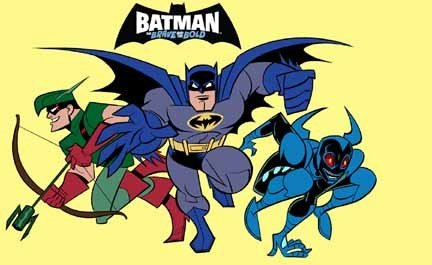
Taking a break from the Bruce Timm-designed “DC Animated Universe” style, “B:BB” hearkens back more to a Jack Kirby, square-jawed dynamic. This is super-heroes by way of “Raiders of the Lost Ark”, non-stop action with just enough character and plot to keep you interested. The creative team has put together a very tight product, starting with the nifty device of an opening scene featuring a mini-adventure with Batman and some other character different than the episode’s main “Guest Star”. This confused me at first since I am, when you get right down to it, just barely above the “low-functioning imbecile” level on most standardized intelligence tests. I kept checking my TiVo to make sure I hadn’t screwed up the times, accidentally recording the last minute of the previous episode. But once I figured it out, I really dug it, kind of like getting a super-cool toy in your box of Lucky Charms.

I also like the opening theme music, it’s got a toe-tapping, hard-driving beat that keeps me socking bad guys all night long.

I can’t believe I just wrote that sentence.

batman_with_green_arrow_and_blue_beetle

Moving on, like in the classic comics series, each episode of “B:BB” features Batman teaming up with another super-hero to tackle a case. Typically companies do this to give a boost to their B-list (or C-list, or in some cases — I’m looking at you, Kamandi — D-list) characters, hoping to drive sales a bit. But it also works from a story-telling perspective, letting someone else take the focus for a while so the writers don’t constantly have to think of what else they can put poor Bruce Wayne through. Because honestly, after a bazillion comics and half a bazillion movies and a quarter bazillion animated series, the ground’s been pretty well churned, you know?

Batman in this world is pretty much a Superman analog in terms of his sheer bad-assery and fame. Everyone knows him and wants to work with him, but he’s clearly the top dog. You don’t get much of the peripheral stuff in his life — no Alfred or Robin or billionaire parties — so you’re dealing with pure, distilled Caped Crusader and whatever tagalong also-ran he’s hanging with that week.

The stories are punchy and engaging, only occasionally too-preachy, and consistently fun. The art takes a little getting used to, but eventually you warm to it and really hooks you. I hope it has the same longevity the Timm-led series did, because I’ve enjoyed every episode a lot so far .

If you’re not watching it, you’ve only got two new episodes left, so be sure to tune in on Fridays nights on Cartoon Network. Otherwise you might only have a hundred chances a day as, I am sure, they will run it into the ground like an Impala strapped to a Jet-Assisted Takeoff rocket.

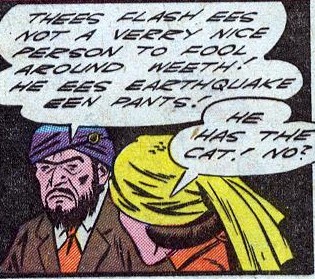
Random Panel: I think "Earthquake in Pants" would be a great band name

all-flash_10eathquakeinpants

HM3 Journal: That crazy RGB beat

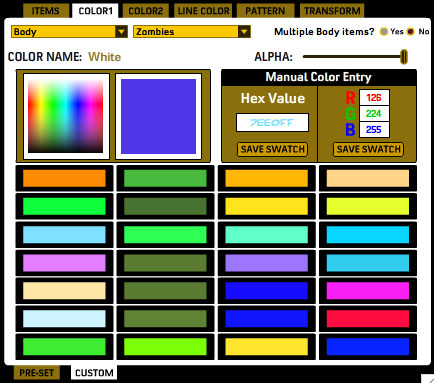
I spent all day (literally) fulfilling Eric’s request in the comments to my last HM3 update, and am happy to say that the basics of manual RBG and alpha color entry are in for HM3. The screen grab here doesn’t have the Alpha channel implemented yet, but it’s coming:

newcustomcolorarea

All of the 28 color boxes on this page are custom ones, filled by moi. I can put more boxes in there if you want, though even 28 seemed kind of like overkill. Anyway, from this panel you can mouse over the color gradient until you get the color you want and click, saving it to the custom color swatches (and also filling in the hex and RGB fields with that color’s values in case you need a starting point).

You can also manually enter a hex value if you prefer that and save that color swatch.

Or, you can enter Red, Green, and Blue colors in the text boxes and save that color.

Meanwhile you can adjust the alpha (transparency) of any particular color area on the figure as well, so you can get those cool see-through skeleton skins and such. There’ll be a text box like the RBG ones next to the Alpha slider for that purpose.

I love this — you guys make a request, it sounds like a good idea that I can hypothetically figure out, and bam, it goes in the program. That’s the kind of live, interactive development you can only get with the web.

So thank Eric if this sounds like something you’ll get use out of! And if you won’t, you can just ignore it — you’re under no obligation to use any of the new advanced color functions at all if you don’t want.

And now, the weekend, woot!

Reason #4: His layout sucks

Setting matters, and in comics you establish and maintain setting in every panel, on every page. Rob Lifeld, being lazy when it comes to his art, of course can’t be bothered with a) figuring out where the action takes place, much less b) either drawing or remembering it as he goes along. As a case in point, I bring you page 3 from “Youngblood” number 2:
Continue reading

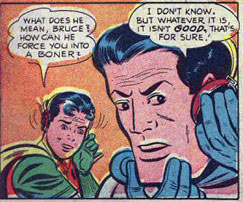
Random Panel: "It's that evil dastard Viagro!"

batmanboners

HM3 Journal: The code of many colors

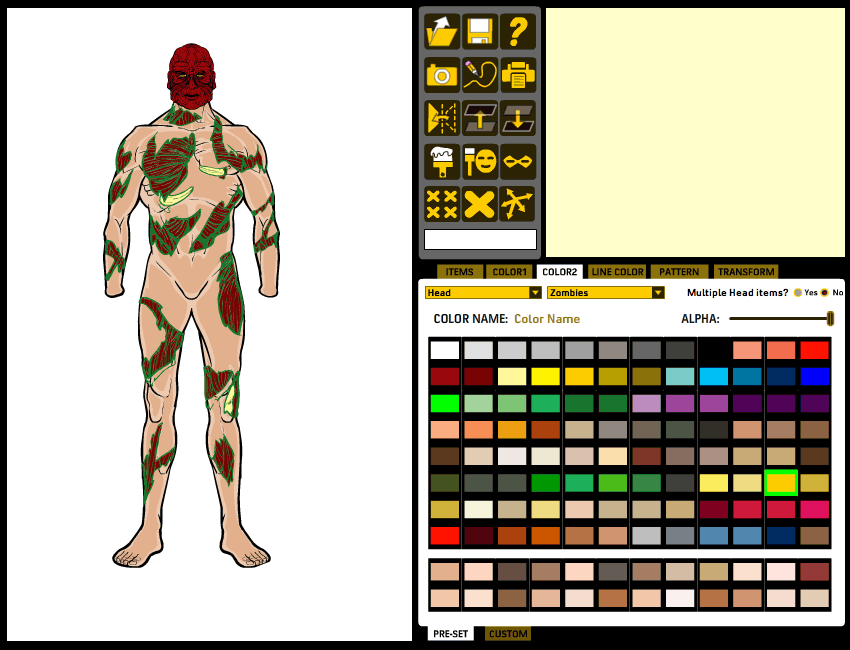
I’ve spent the last two days trying to get the various tabs working in HeroMachine 3, and it’s been more aggravating than I thought it would be. The structure is a little bit different, and chasing down all the changes in hundreds of lines of code can be quite taxing. But I think I have the basics working in terms of loading up sets of items. As a bonus, I can even color things! I only have one set of Zombie heads and one set of Zombie body parts active at the moment (I don’t want to do too much until I know exactly how it needs to be set up to work) but here’s a taste of things so far:

As you can see, a lot of functionality has been condensed into the larger tab structure. The ability to choose your current slot type and the set of items for that slot will remain present at all times, so no matter what you’re doing you can change your targeted item. In the minis, the Rotate and Scale functions were always present to the left of the ad, but for HM3 they’re being moved to the new “Transform” tab. I’ll probably also have a set of “Move” controls there too, so if (as someone mentioned earlier) you have trouble dragging the actual item where you want it to go, you can use arrows to move them remotely, as it were.

I tell you, what’s really struck me this week as I’ve been bearing down and really grinding out the code is just how fricking complicated this thing is. After you code something and it’s all working, you kind of forget about it completely. It just is. But then when you have to go back and tweak and expand it, you realize how the gradual accumulation of complexity can turn bits that were very simple looked at one-at-a-time insanely difficult in aggregate.

Anyway, work is proceeding. I had optimistically thought at one point earlier this week that by Monday I’d be drawing items full time but that’s starting to look like a fever-dream.

Contest 47 Prize: Mynx

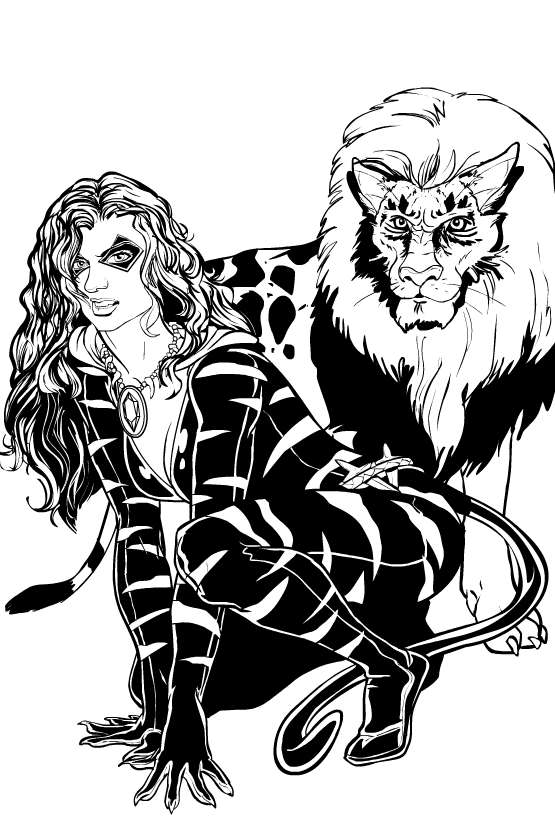
Steve and I have completed his prize for winning Caption Contest 47, a woman he calls “Mynx” and her otherworldly feline companion:

mynx7

I struggled quite a bit with the cat companion, and still don’t think I really nailed it. But overall it’s a good illustration and I hope Steve’s happy with it.

Want to win your own custom black and white illustration of whatever you like? All you have to do is win Caption Contest 49, going on right now!

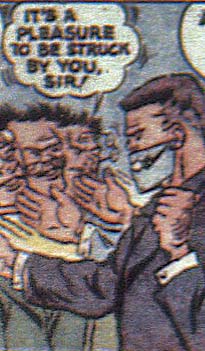
Random Panel: Important recession-era job skills

boy-comics-3-1942-pleasure

(From “Boy Comics” No. 3, 1942.)