Try this out!
Current Contest
HeroMachine Minis
-
Recent Posts
Categories
- Bad Super Costumes
- Bug Reports & Fixes
- Comic Book Improv
- Contest Prizes
- Contest Winners
- Contests
- Cool Characters
- Daily Random Panel
- Damien's Blog
- Digital Illustration Lessons
- Fantasy & Sci-fi
- Hall of Fame
- HeroMachine 3
- I Hate Rob Liefeld's Art
- Mashups
- Meta
- Movies
- News & Updates
- OnomontoPOWia
- Open Critique Day
- Poll Position
- Power User Profiles
- Previews
- Randomosity
- Recipes
- Remixes
- Retroviews
- RPG Corner
- Sharing Day
- Sketch of the Day
- Story Time
- Suggestions & Ideas
- Super-Hero Stuff
- Things I Like
- Tips & Tricks
- Uncategorized
- Writer's Room
Recent Comments
- Myro on To Boldly Go or To the Library We Go?
- Frankie on This one time, in band camp …
- Skybandit on Character Contest 91: The Phantom ________
- Skybandit on To Boldly Go or To the Library We Go?
- Sohier-Legrand on Character Contest 91: The Phantom ________
- Dan on To Boldly Go or To the Library We Go?
- Gabe Puratekuta on It’s a blaze of something, that’s for sure
- Dan on It’s a blaze of something, that’s for sure
- To Boldly Go or To the Library We Go? | HeroMachine Comics Blog on Thrusts of Justice
- Ghenmor on Phantom Menace vs. Batman and Robin
The Big Bad Blog Schedule
Monday: Contest
Tuesday: Versus
Wednesday: Bad Costumes
Thursday: RPG Corner
Friday: Open Critique/Sharing
Saturday: Pop Quiz
Sunday: Day of restSecret Lair
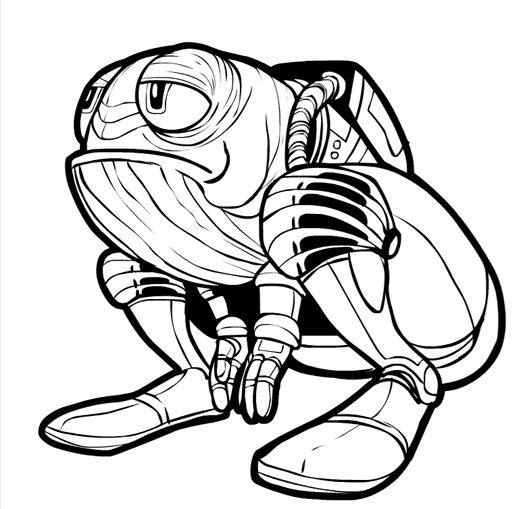
Hah! Great pic, jeff!
this is so cool. If only there would be a way to include it in my star wars rgp campaign… young huttling perhaps…
just too cute!
heres a coloured version i made with paint.net http://picasaweb.google.com/Tristan.comic.freak/Heroes#5436156150654440978
Thanks Tristan, that’s fun!
I can’t use Paint.net as I am on a Mac, but in Photoshop here’s what I do to color black lineart.
Make two copies of the art layer, right on top of each other.
Set the Layer Blend Mode of the top layer to “Multiply” and then lock it.
Color on the bottom copy layer and the color should show through to the top layer, while the top layer’s black lines stay black.
If someone tries that out in Paint.net, let me know, I’ll be curious if it works.
Whoah Nice Job, I Missed This 1

