Category Archives: News & Updates

The latest happenings on all things HeroMachine.

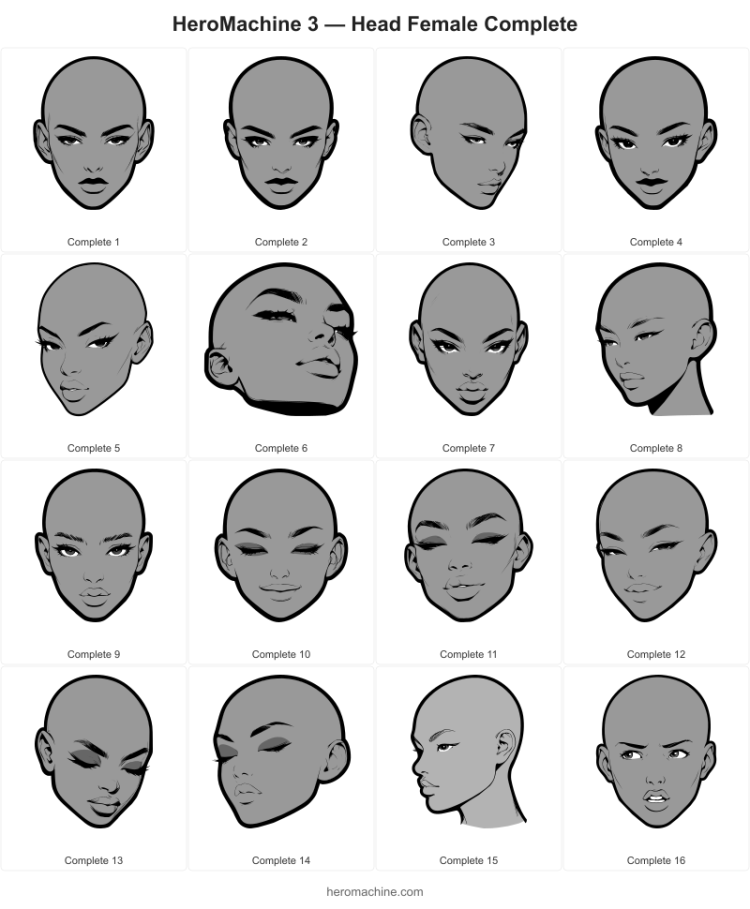
New set: Head Female Complete

Continuing down the road of “experiments”, I’ve just released a new set of Heads for the Female template, called “Complete”. Each item includes the head shape, eyebrows, eyes, nose, lips, and ears, basically commbination of the “Face” sets and the basic heads. Because so many distinct elements are present, color1 is the head background and color2 is usually the eyes or eyeshadow. That means no interior shadow shape and no coloring the lips.

I’m curious how these will work and if you find them useful. A number of power users have been asking for heads in positions different than just straight-on to the camera, so I’ve included a sample of those. If you like these, I can do a similar set for Male Heads. Let me know, and enjoy!

Do Vikings Dream of Halftone Circuits?

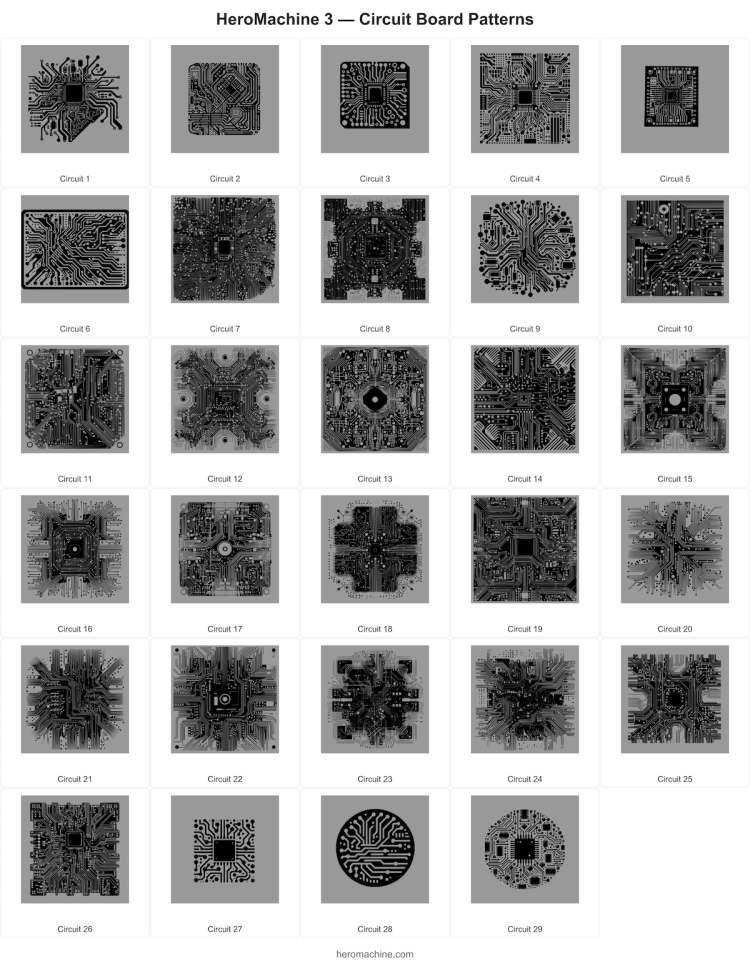
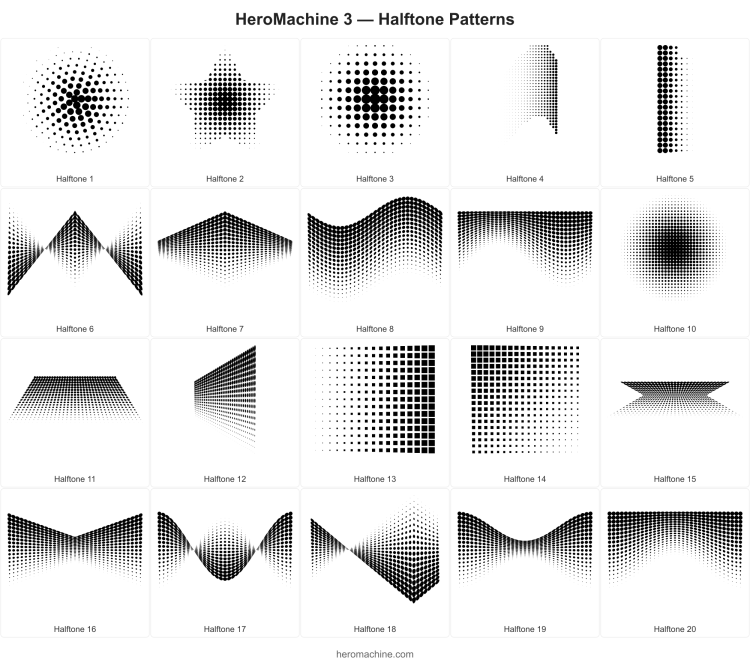
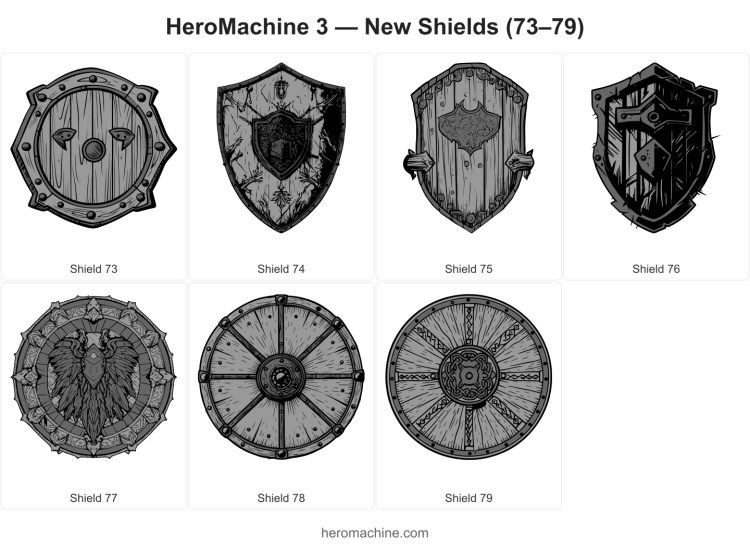
This has to be the winner for the most obscure post title yet. The plainspeak version is, I’ve just released two new Pattern sets, some new Shields, and a small app update!

First up, the new PatternsCircuitry set:

And another new set, PatternsHalftones for when you want that classic comic book look:

Finally, just because they were easy and fun, I added these ItemRight/LeftShields:

I also updated the way masking works when changing items. When you had an item masked into another item and then swapped the masked item for a different one in the same slot, the masking relationship was lost, so you’d have to reapply it manually. Now the mask carries forward automatically. If the item being masked by another changes, that relationship updates too.

Enjoy!

Save the Date … a. Save the Data.

A quick but important update today: HeroMachine 3 now includes backup reminders to help you keep your characters safe.

Why This Matters

When you click “Save” in HeroMachine 3, your character is stored in your browser’s local storage. This is convenient — your characters are right there the next time you visit — but it’s also fragile. Clearing your browsing data, using private/incognito mode, or even just not visiting the site for a while can cause your browser to silently wipe that data. Safari is particularly aggressive about this, automatically purging site data after as few as seven days of inactivity.

If this sounds familiar, it should, because the old Flash version worked the same way. Flash used “Shared Objects” (basically Flash cookies) that lived in your browser and could vanish just as easily. Many of you learned that lesson the hard way back then, and unfortunately the web version has the same fundamental limitation. Your browser’s storage is temporary by nature, no matter what technology is behind it.

What’s New

To help prevent heartbreak, the Save Data tab now includes three things:

  • A permanent warning reminding you that browser saves can be lost, displayed right above the Export/Import buttons.
  • A highlighted Export All button in amber, so it’s easy to spot.
  • A periodic reminder banner that appears if you haven’t exported a backup in five or more days. You can dismiss it and it’ll come back in another five days, or turn it off entirely in Preferences under “Backup Reminders.”

The Short Version

Please, please use Export All regularly. It downloads a single JSON file containing every character you’ve saved. If anything ever happens to your browser data, you can restore them all with Import All. Keep that file somewhere safe — your desktop, a cloud drive, wherever — and you’ll never lose your work.

I know it’s an extra step, but a few seconds of backup beats hours of recreating a lost character. Trust me, I’ve gotten enough emails over the years to know how much that hurts.

You can also save individual characters to disk using the “download” button in the Save panel.

Happy creating, and back up your stuff!

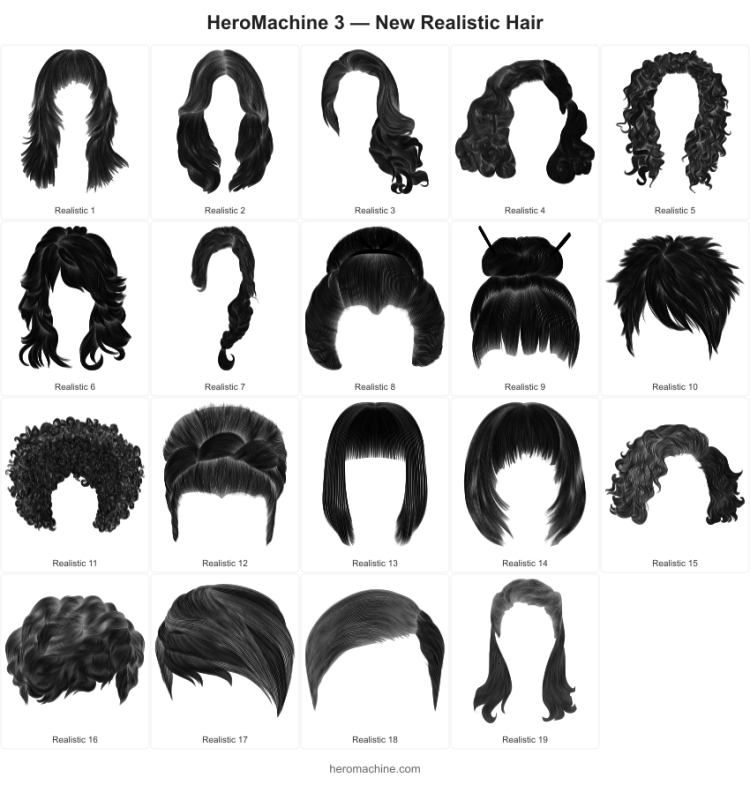
Realistic(?) Hair for Women

A new set of Hair -> Female items just dropped, which I’ve dubbed “Realistic”. The most realistic part is I couldn’t think of a better name, it’s the same thing that happens with every RPG I play. Regardless, here they are!

These items are characterized by lots and lots of wavy lines. It’s a different style than I’ve generally used but I think they’ll play well with the rest of the artwork. They should also make for interesting items to mask into others as patterns with the lineart colored.

Enjoy! These were really time-intensive to create so I’ll probably do something a little more straightforward for the next release.

It’s like an onion

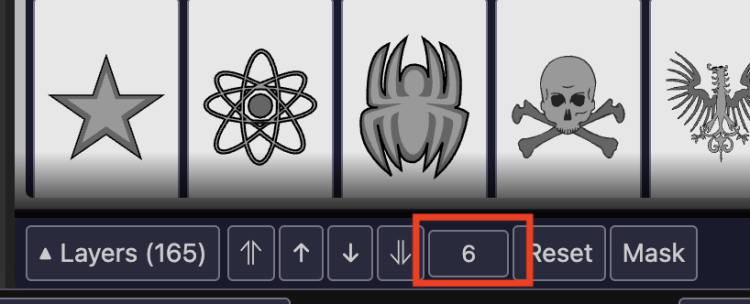
You can now move a layer directly to any position by typing a number into the new input field in the Layer panel toolbar. No more clicking the up or down arrows dozens of times to move an item from the bottom of the stack to the top!

Select an item, and you’ll see its current layer number displayed between the arrow buttons and the Reset button. Just type in the position you want and hit Enter — the item moves there instantly.

As a reminder, you can also drag and drop items in the expanded layer list to reorder them. Click the ▲ toggle to expand the list, then drag any row to a new position. Between drag-and-drop and the new position input, you should be able to get your layers exactly where you want them quickly and easily.

This feature was suggested by long-time All Star community member MadJack — thanks for the great idea! If you have suggestions for improvements, leave a comment or use the contact form.

Happy creating!

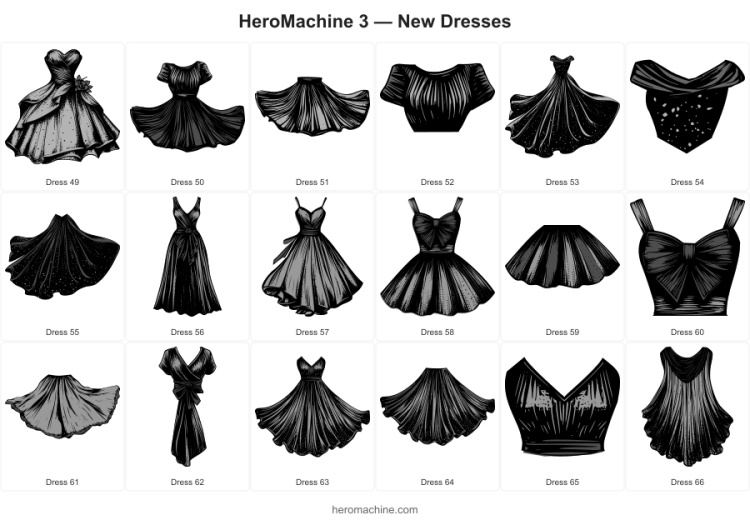
18 New-style Dresses

Live now in HeroMachine 3 Phoenix Edition, 18 new Tops -> Female Dresses in that lineart-heavy style I’ve been trying out with some of the latest releases. Enjoy!

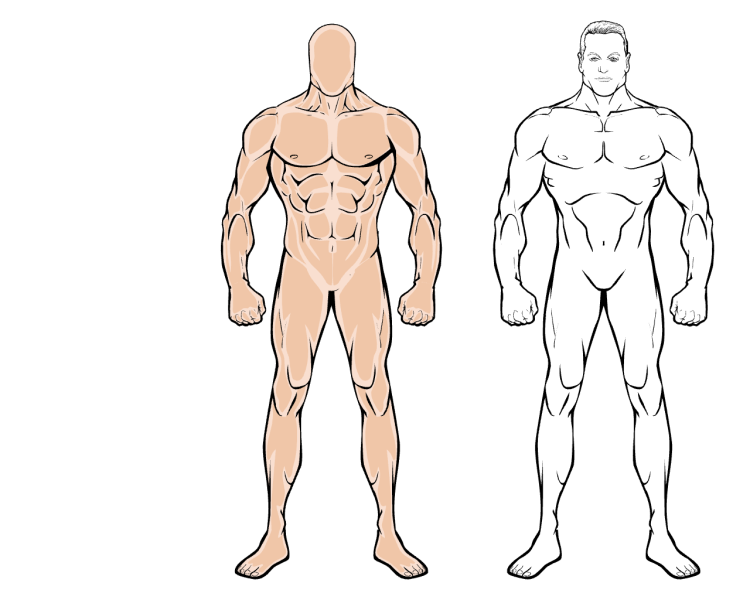
ABS for AWS

All-time HeroMachine Legend AWS recently asked for a male torso with more abs to make more muscly characters. So now, as befits the legacy of a legend, you all get to enjoy it to! Now available at the end of the Body Male Standard set. Here it is (left) in comparison to the standard torso:

All (or at least, MORE) Hands on Deck

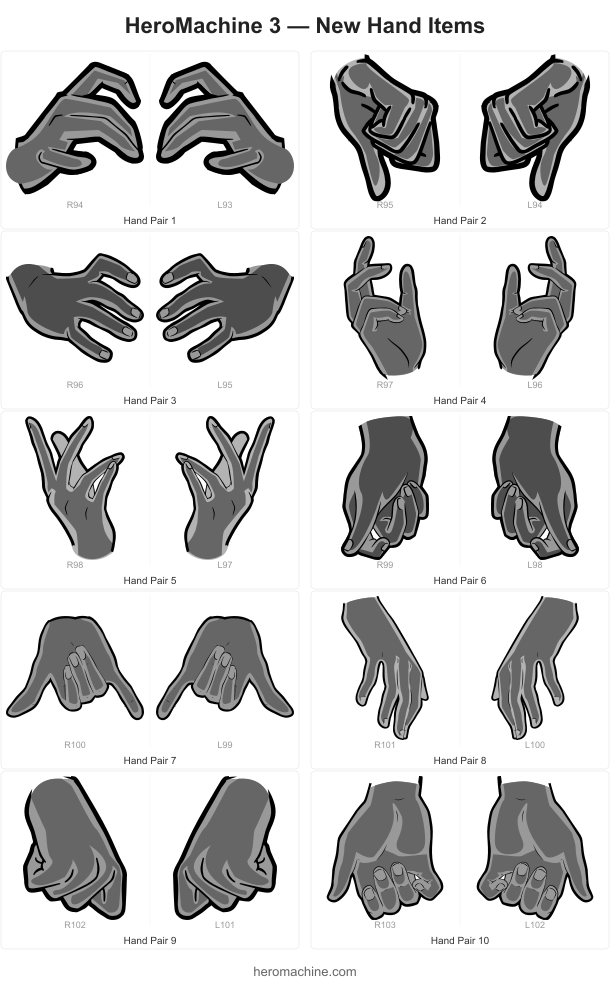
Ten new hand poses are now available in the Hand Right and Hand Left Standard sets! These are more of a “Casual” kind of set, so less “Dr. Strange casting spells” and more “Let’s just hang out” kind of a vibe. Here’s what they look like:

Hands are a lot more difficult to create than other items because I have to make an itemMask that gives the effect of another item being held in it. That’s always a mind-bender for me.

Also in this update, the “Color All Skin” button now works the way it should have from the start. It applies both Color 1 and Color 2 to all skin slots at once, and feet are now included in the skin group. No more having to manually color-match your character’s toes unless you’re into that which, hey, no judgment here, you do you.

I probably had it not that way before since so many of the “Foot” items are actually Footwear instead of body parts. If you don’t like “Color all skin” affecting them, let me know and I can change it back.

Good Friends and Good Hair

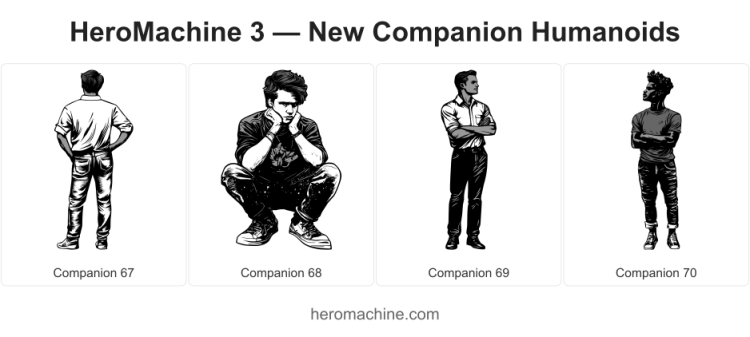
I’ve added some new items to HeroMachine 3 Phoenix Edition for your character creation enjoyment, starting with some JAFOs (Just Another F…reaking Observer):

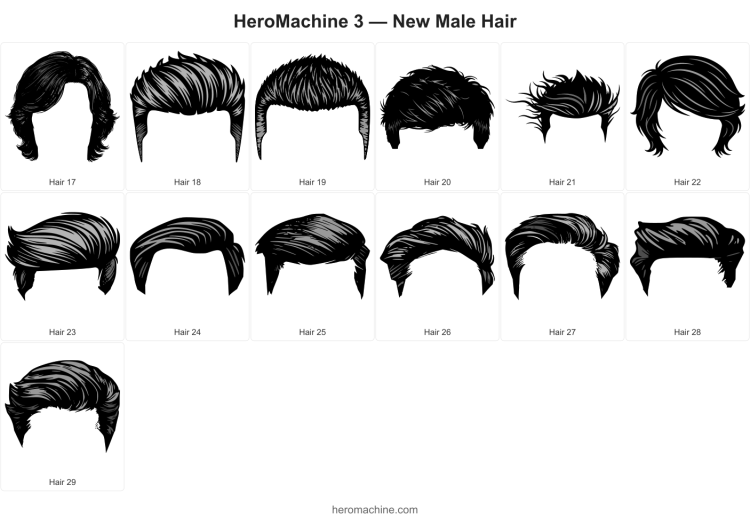
And because nothing makes friends stick close more than being Becky (or Bill) With the Good Hair, you can now use these in Hair -> Male Standard:

Enjoy! I know the lineart on the male companions isn’t quite as slick as usual but I find myself wanting to introduce a little more variation in what’s available. Hope you like them!

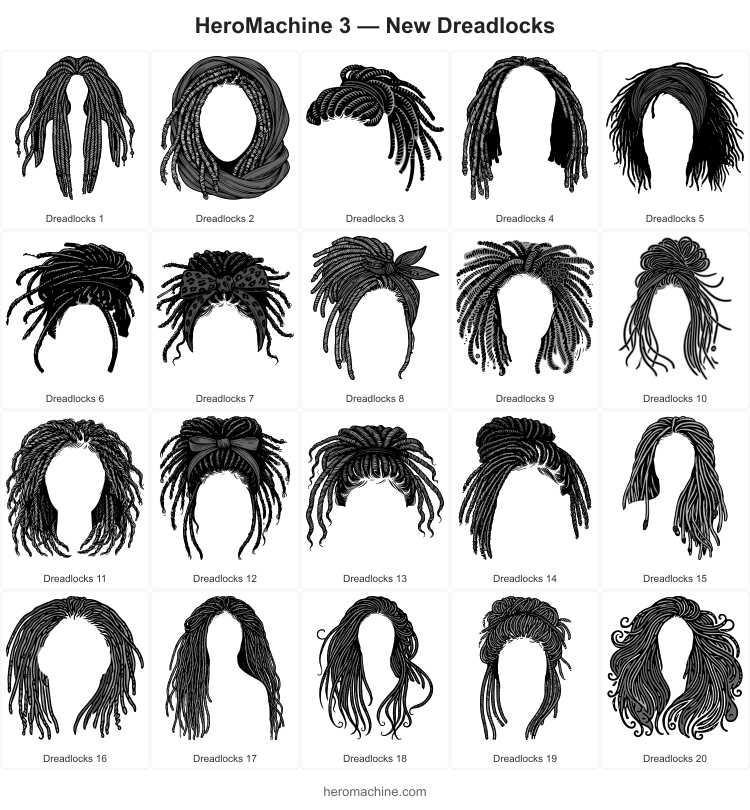
Dreadlocks and more!

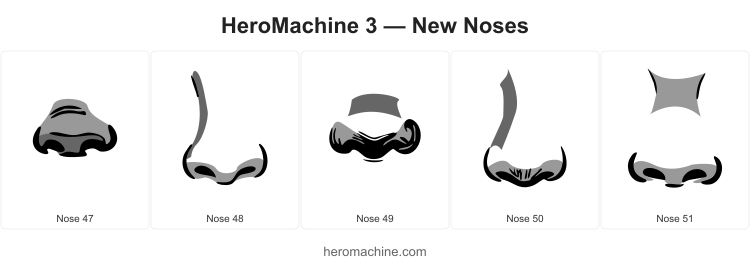
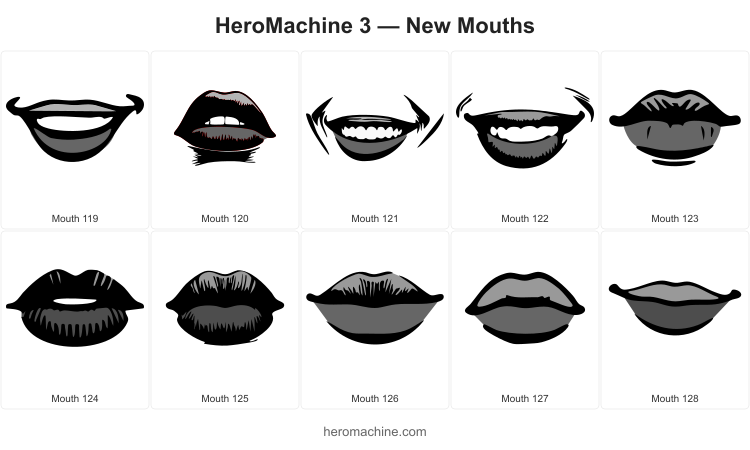
I’ve just released some new additions to HeroMachine 3 Phoenix Edition that I hope will help people make some interesting and cool characters you couldn’t before. The big star is a set of new Dreadlock styles that I am super excited about, I think they came out really well. And while I was at it I added some more lips and noses for the female template that give additional flexibility. I can’t wait to see what you all are able to create with them!