Category Archives: Meta

I could use some Luchador / Wrestling help

I’m working on the Luchador masks lots of folks have requested over the years and I’m struggling a bit because I don’t know that world at all. Here’s what I have so far, what direction should I go from here?
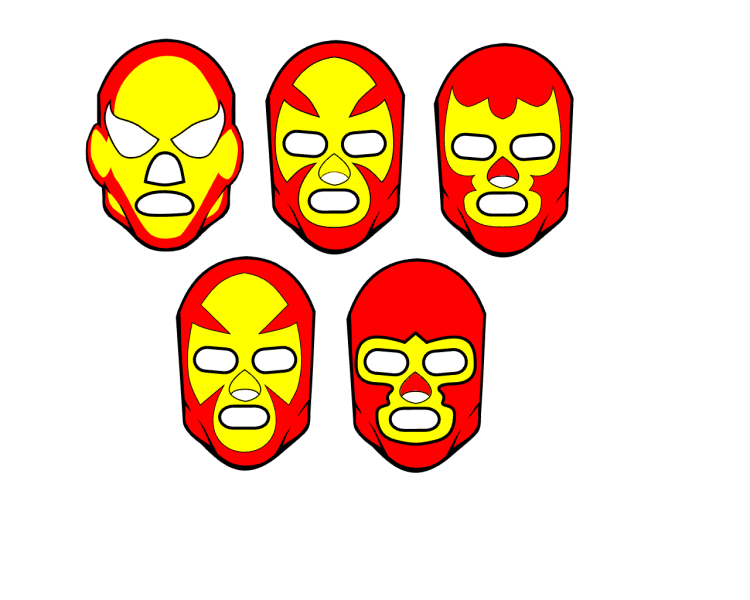
Should I be adding seams to make them more realistic? Come up with a set of x patterns (the yellow area shapes) that get repeated across different eye/nose/mouth shapes? Make a blank overall head/mask pattern, then add individual eye/nose/mouth shapes that you could apply the skin color to, then mask eyes/noses/mouths to from their sets? Add shading for that interior head color on all items (the yellow area on that first example)? Ears or no ears?! I’m floundering!

I really don’t know where to go from here. I also haven’t found a great image reference for these so I don’t know what kinds of designs are useful.

Help?
MORE new items?!

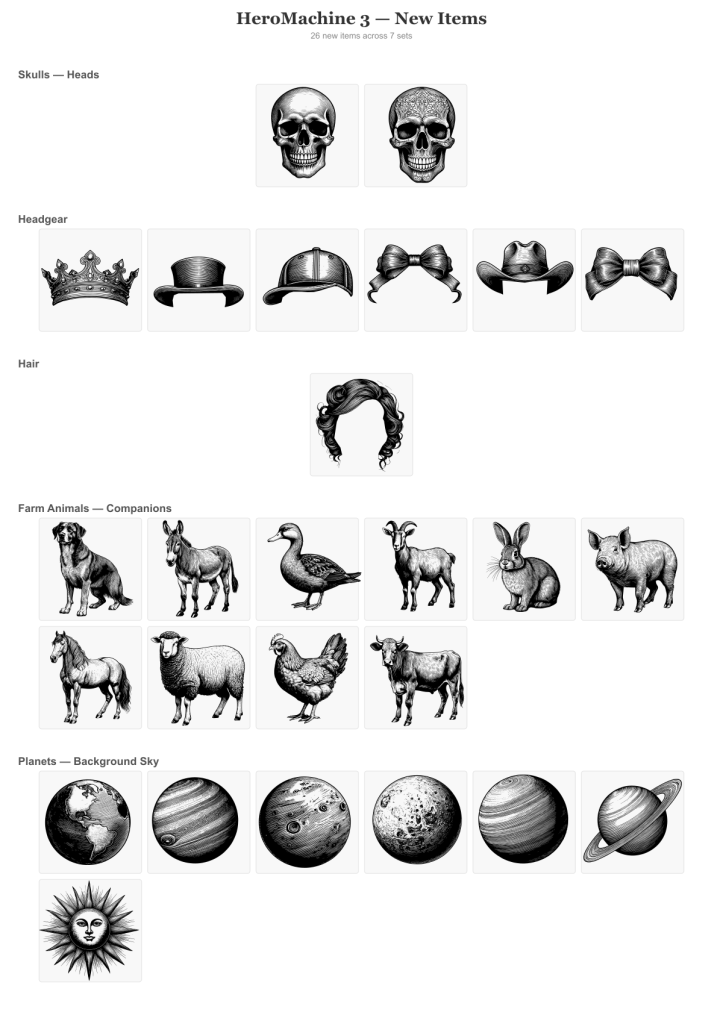
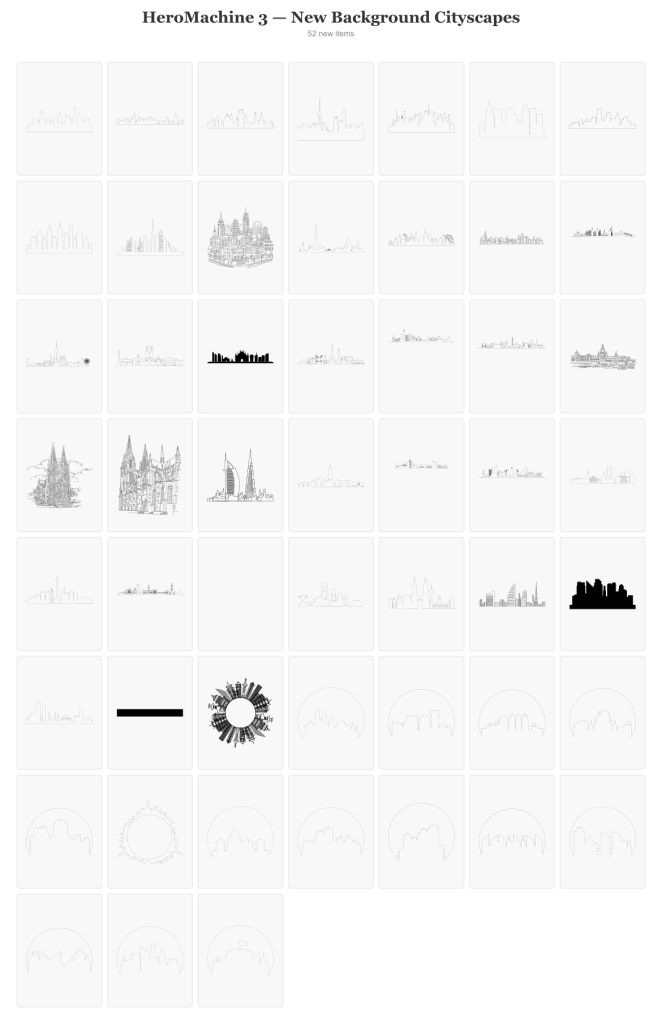
To celebrate the launch of HeroMachine 3 Phoenix Edition, which went way better than I even hoped it would, I’m launching another set of new items. They’re in a classic old-time lineart style that I wasn’t sure would work but I think they’re pretty cool. Give some of the planets a try, changing the lineart color in particular, it gives some wild effects. Let me know what you think of this approach.

Background Cityscapes

First up are some background items to help set the stage. The new wider viewport makes for a good way to test these mostly long and narrow items. And of course a whole new set, Companions Farm Animals, because why not!

Random Stuff I thought Looked Cool

We had a couple of skulls but the lineart style on these gives them a whole new dimension. Bows and crowns have also been shortchanged so I put in a couple of those.

The New Hotness

Just a heads-up that while I’ll be out of town for the next two days I won’t be posting or responding much, but I’ve updated the HeroMachine 3 page with information about the Phoenix Edition, check it out if you get a chance. And thanks for being here!

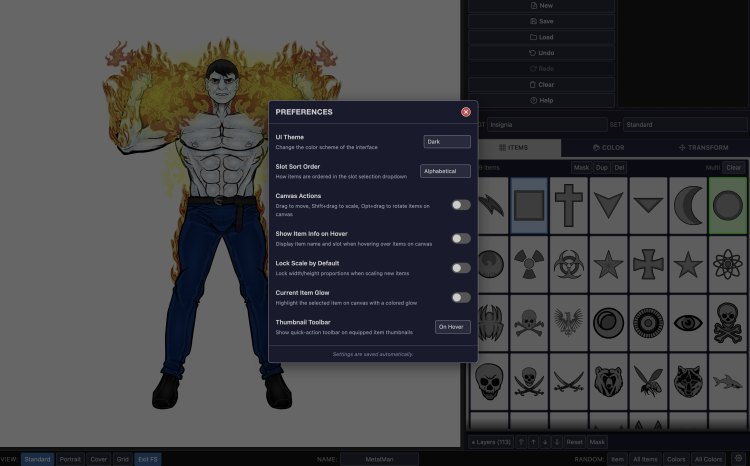
HeroMachine 3 Preferences

The Flash version didn’t allow you to customize the interface in any meaningful way, but the new version will:

Here’s a list of all the preferences you can set to tailor your HM3 experience how you like:

Continue reading

HeroMachine 3 “Phoenix Edition” Progress Report

Can you tell I’m workshopping the name of this update? Anyway, I want to keep you all apprised of how the conversion process is going.

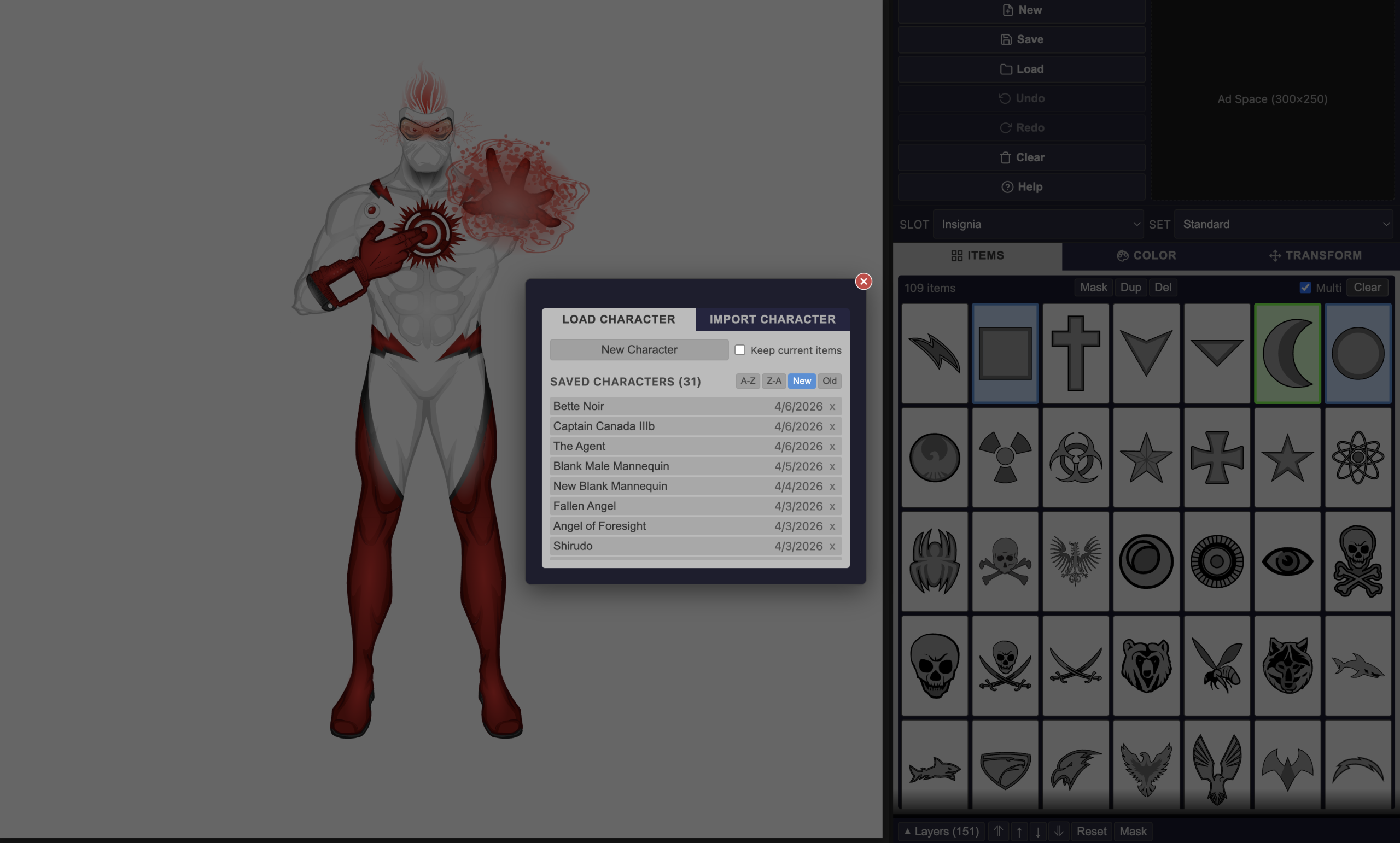
A screen shot showing the "Load" screen from the new HeroMachine 3 app.

You can now upload not just saved character strings but old Flash Cookie “.sol” files. For a long while that was the only way to save characters but it was tucked away in a hidden location that was hard to get to. Now if you have one from Back In The Day you can import it like any other file and all of your saved characters will be there, fully editable, without needing Flash at all. The test file I got from a long-time and awesome HeroMachine community member had 375 characters saved, and now they can all live again.

In addition I added an “Export All” button so you can keep your characters in a safe place outside of the site. I dread the thought of clearing your cookies and suddenly all your data is missing.

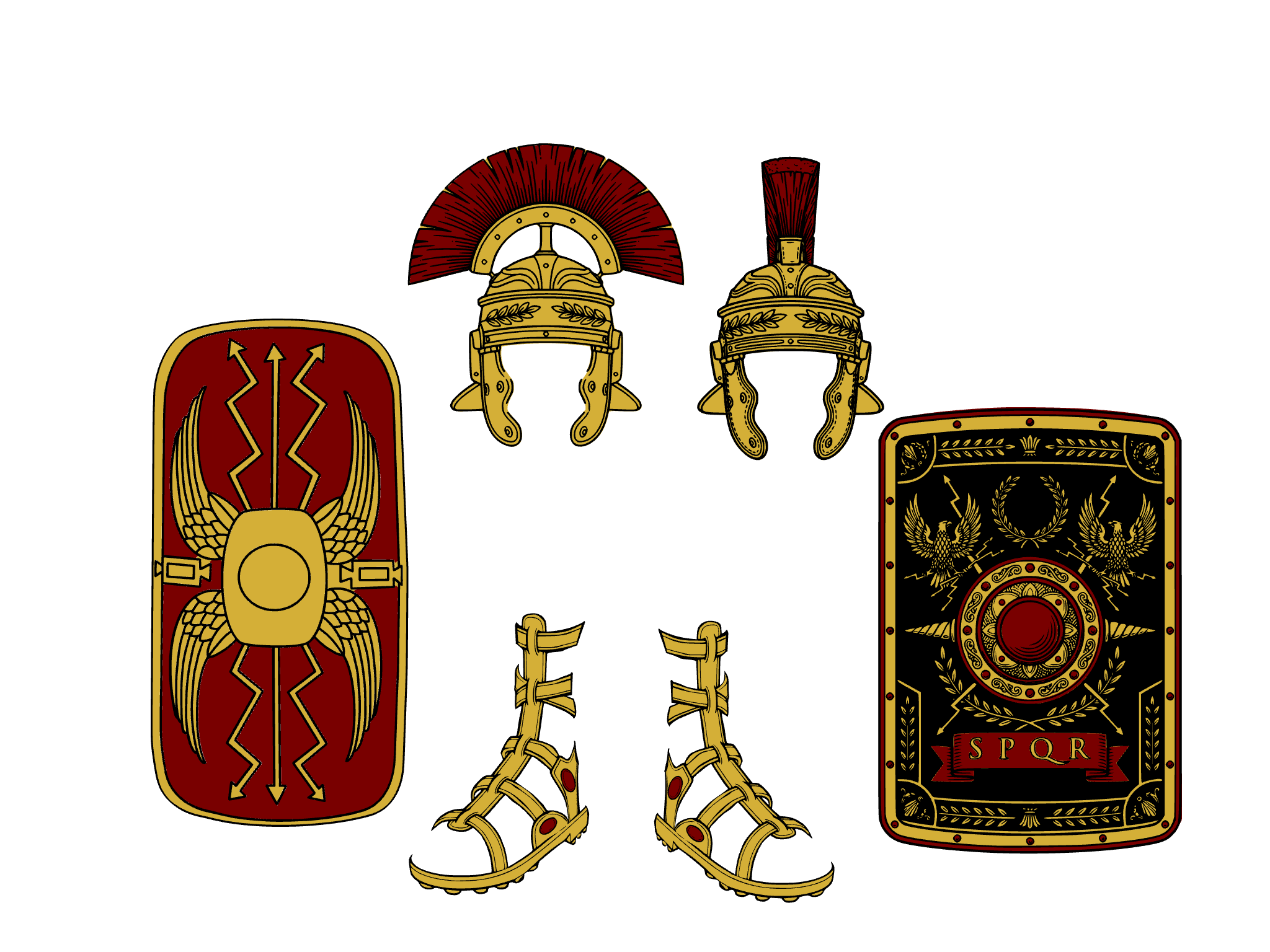
I’m also adding more new items under a central theme!

Continue reading

All roads lead to … new items?

I’m not sayin’. I’m just sayin’ …

The Return of HeroMachine 3?

After way too many years, I can hardly believe that the return of HeroMachine 3 as a non-Flash, fully-functional character creator is not just very real, but quite imminent. Here’s a proof-of-life screenshot:

Continue reading

Requesting your characters’ XML saves (also hello again!)

::testing, testing … is this thing still on?::

Hey all, it’s been a long long time since there was any HeroMachine news of note, and I honestly don’t know if anyone is still around or interested. But I might have some pretty huge news to share in the very near future about getting HM3 working again. I will share that I have a working prototype built in native CSS, HTML, and JavaScript that will run natively in your browser without needing anything in particular extra. And definitely no Flash!
To help with testing, though, I am hoping some of you fine folks are willing to send me your saved character XML files from the past so I can test things further. My email address is afdstudios at gmail dot com.

If you are still here, THANK YOU! And if you can send me some saved character files that would be fantastic, so DOUBLE thank you!

I appreciate you all more than I can say.

– Prodigal Jeff

HeroMachine 2 is back!

Thanks to a program called Ruffle, Flash content can now be shown in browsers again! Head on over to the HeroMachine 2 page and start creating your own character portraits like you did back in the day!

How to Use HeroMachine 2 Locally

[Note: As of April, 2026 you can use HeroMachine 3 natively in your browser, no extra setup needed. If you prefer to use the Flash version, though, this article still applies.]

Hi all, with big thanks to HeroMachiner Eric Bowling, here’s how you can use HeroMachine outside of your browser. Adobe has said they’re going to be force uninstalling the Flash Player (the standalone player basically) but I don’t know that applies to this particular version.

Basically you download a local Flash Player application, then put in the URL for a .swf file (a compiled Flash object, which is what HeroMachine uses) and it plays. I’ve tried it on my Mac with HM3 and HM2 and it seems to work like a champ. You’ll still need an Internet connection but if this goes well I may bundle up the files and make them available online so you could truly run it all locally. We’ll just have to see, I don’t want to sell people something and then BAM Adobe force uninstalls the Flash Players and it no longer works.

Continue reading